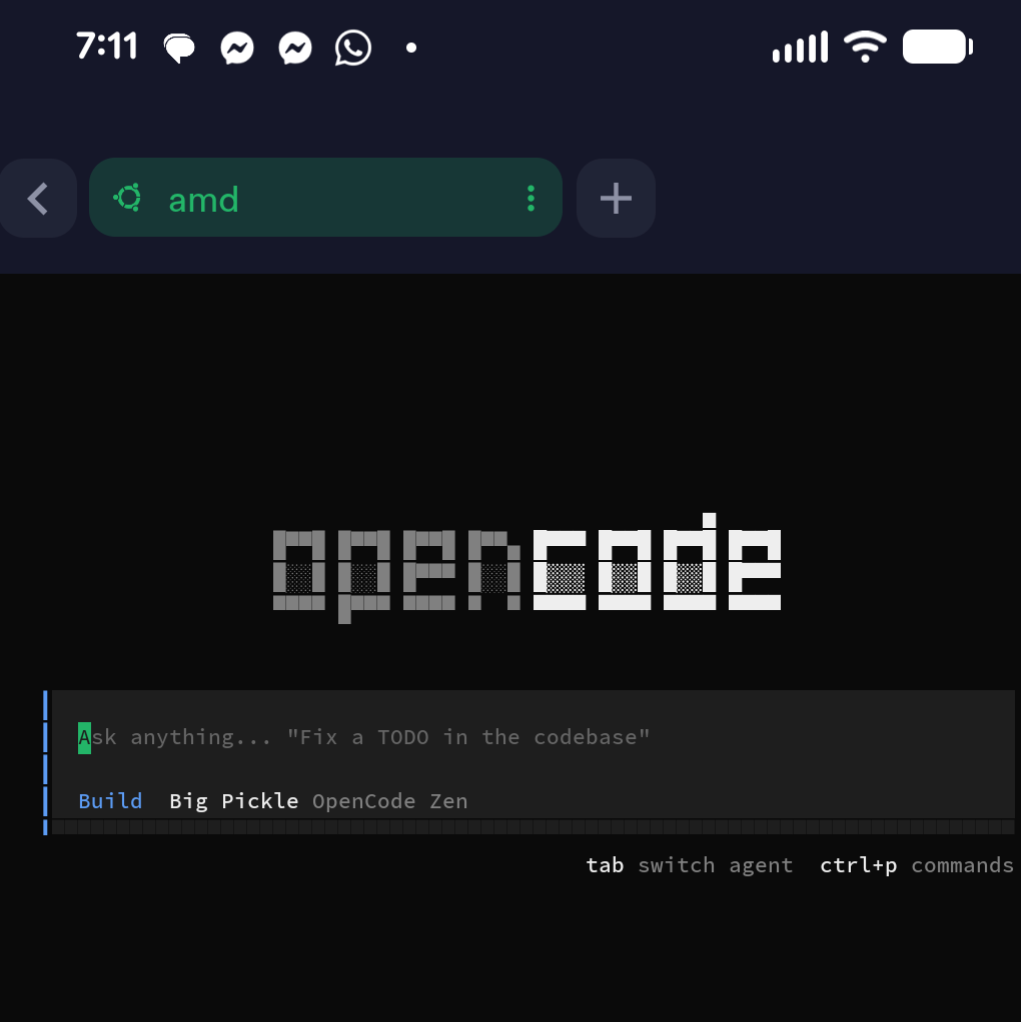
I wanted the ability to prompt AI tools from my phone while still working against a real local development environment. Not a cloud sandbox. Not a web IDE. My actual machine, files, repos, and CLIs.
Why This Setup Exists
The goal was simple: phone becomes the prompt interface, local machine does the execution. This lets me use tools like Claude, Codex, or OpenCode from anywhere while still running code locally.
Hardware Setup
I started with a small dedicated machine to act as a remote dev box. I picked up a Mini PC from Amazon for a few key reasons:
- Always on: No need to wake my primary laptop
- Low power: Runs 24/7 without killing my electric bill
- No risk to primary laptop: If something goes wrong, my main work machine stays clean
- Acts like a personal cloud: But stays in my house
Operating System
The device shipped with Windows. I wiped it completely:
# Removed Windows
# Installed Ubuntu Server
# Configured automatic security updates
Ubuntu was chosen because it's stable, lightweight, and works cleanly with SSH, Docker, and developer tooling.
Secure Access with SSH
This is the foundation of everything:
# Generated an SSH key pair
ssh-keygen -t ed25519 -C "phone-access"

# Installed the public key on the Ubuntu machine
ssh-copy-id user@machine-ip

# Disabled password-based SSH login
# Edit /etc/ssh/sshd_config: PasswordAuthentication no

# Confirmed key-only authentication works
At this point, the machine is only accessible via SSH keys.
Phone as the Control Plane
To connect from my phone, I installed Termius. The setup was straightforward:
- Installed Termius on my phone
- Added a host entry pointing to my home IP
- Configured SSH to use a custom port
- Imported the same SSH private key into Termius
Once connected, my phone effectively becomes a terminal into my local machine.
Networking Configuration
Since this machine lives behind my home network, port forwarding was required:
- Accessed router administration interface
- Located port forwarding settings
- Configured port forwarding rules
- Mapped an external custom port to internal port 22
- Restricted forwarding to TCP only
Using a non-standard external port reduces noise from random scans.
How AI Fits In
Once connected via SSH, everything else is just tooling. From the terminal session I can:
- Run local code
- Edit files
- Invoke CLIs
- Trigger AI-assisted workflows
The prompting itself happens in tools like Claude, Codex, or OpenCode. The phone is used to write prompts and issue commands, the local machine executes them against real files and repos. This avoids the limitations of browser-only AI environments.
Commonly Missed or Implied Steps
These are easy to forget but matter:
Security Hardening
- Disable root SSH login
- Install fail2ban or equivalent
- Limit SSH users to specific accounts
Convenience
- Set up SSH config aliases
- Install tmux or screen for session persistence
- Configure shell history and dotfiles
AI Tooling
- Install required CLIs on the Ubuntu box
- Ensure API keys are stored securely
- Avoid embedding secrets directly in prompts
Reliability
- Enable automatic reboots for kernel updates
- Configure the machine to auto-start on power loss
Why This Works Well
This setup gives you:
- True local execution: No sandbox limitations
- Mobile-first prompting: Write prompts from anywhere
- No vendor lock-in: Use any AI tools you want
- No cloud IDE constraints: Full control over your environment
It feels like carrying your dev environment in your pocket, without actually doing the work on your phone.