
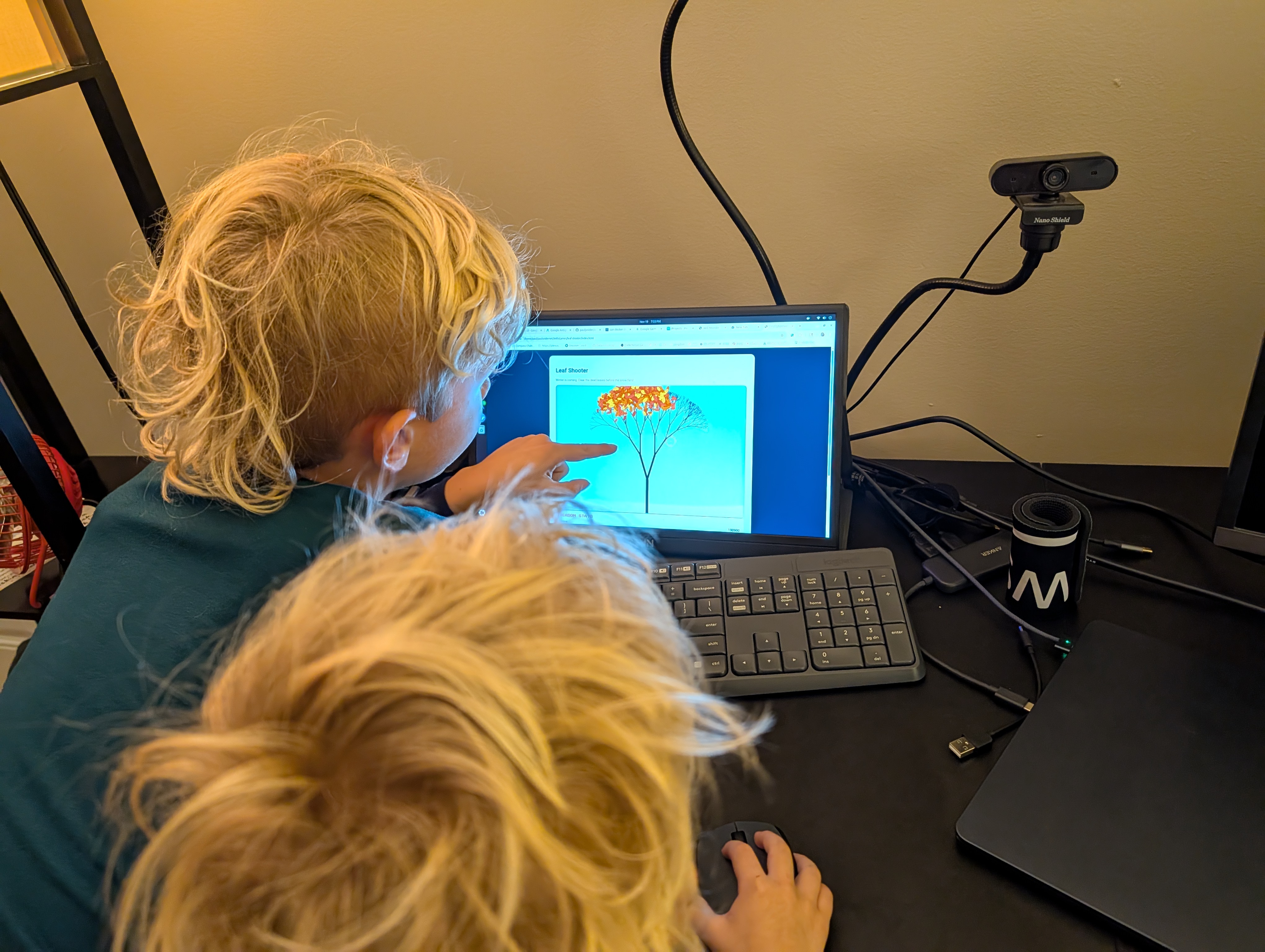
Will, my 6-year-old, had an idea: a game where you shoot falling leaves. We fired up Google's new Antigravity IDE, described what we wanted, and fifteen minutes later had a working game. His 4-year-old brother Max enjoyed playing it too. This is what spec-driven development with autonomous AI agents feels like.
What Is Google Antigravity?
Google Antigravity is Google's new AI-first integrated development environment that really helps streamline how you build software. Instead of writing every line of code yourself, you describe what you want, and autonomous agents (powered by Gemini 3 Pro) execute the entire task: planning, coding, testing, and verification.
What sets Antigravity apart is its synchronized control across the editor, terminal, and browser. Instead of lightweight suggestions, it can take on full end-to-end tasks.
Antigravity sits in the same category as Cursor, Windsurf, and Kiro, blending Kiro's spec-driven workflow with Windsurf's cascade workflow while adding mandatory browser-level validation that feels like using Playwright MCP. With this, Google now offers a full stack of tools to match what AWS provides: a VSCode plug-in, a CLI, and its own IDE.
The Spec-Driven Workflow
Our Leaf Shooter game started with a simple conversation. Will described what he wanted: leaves falling from the top, a character that moves left and right, and the ability to shoot them. That was it.
"The game we want is a gun shooting leaves because it's almost Christmas and the leaves are about to die, and when you shoot them, they will fall off the tree." — Will, age 6
From that one sentence, Antigravity built an entire game. Here's how Antigravity approached it:
- Planning Phase: The agent analyzed the requirements and created a task list with specific implementation steps
- Autonomous Coding: It wrote the HTML5 canvas game, implemented the physics, added controls, and styled everything
- Browser Verification: The agent launched a browser, ran the game, and verified it worked as specified
- Artifacts Generation: Instead of scrolling through logs, we got a clean report with screenshots, code diffs, and a working demo
"The agent doesn't just code—it verifies. That's the game changer." — My reaction after the first successful build
Artifacts: Trust Through Transparency
The most impressive part wasn't the speed—it was the Artifacts system. Rather than dumping raw activity logs, Antigravity generates digestible documentation as it works:
- Task Lists: Clear execution plans showing what the agent is doing and why
- Code Changes: Clean diffs highlighting exactly what changed
- Screenshots: Visual proof that features work as intended
- Browser Recordings: Video evidence of the agent testing the application
You can provide feedback directly on Artifacts—like commenting on a Google Doc—which lets you redirect the agent's work without stopping the entire process. We used this to adjust the leaf colors and increase the game difficulty mid-build.
Two Work Views: Editor and Manager
Antigravity offers two distinct interfaces depending on how you want to work:
Editor View
A familiar IDE interface built on VS Code with an AI agent in the side panel. This felt like pair programming with an extremely capable partner. We used this view for the Leaf Shooter game since we wanted to stay hands-on and see the code as it developed.
Manager View
A "mission control" dashboard for orchestrating multiple agents working in parallel across different workspaces. While we didn't need it for our 15-minute game, I can see this being invaluable for complex projects where you need to delegate multiple independent tasks simultaneously.
The 15-Minute Build
Here's the actual timeline:
- Minute 0-2: Will described the game concept, I refined it into a clear spec
- Minute 2-8: Antigravity agent built the core game mechanics, canvas rendering, and controls
- Minute 8-12: Agent tested in browser, generated Artifacts, we reviewed and requested tweaks
- Minute 12-15: Final adjustments to colors and difficulty, final browser verification
What normally would have been an hour or two of back-and-forth coding became a focused 15-minute session. The agent handled the boilerplate, the browser testing, and even caught a few edge cases we hadn't considered.
What This Means for Development
This wasn't just faster development—it was a different paradigm. You shift from being the person typing every line to being the architect who delegates, supervises, and verifies.
The workflow felt natural because Antigravity agents don't try to be invisible. They show their work through Artifacts, accept feedback inline, and execute tasks with real autonomy. It's collaborative in a way that traditional autocomplete tools never achieve.
Try It Yourself
Google Antigravity is currently available in free public preview for Windows, macOS, and Linux. If you're building projects with your kids (like we do), this is an incredibly accessible way to go from idea to working software in minutes.
The entire experience reinforced something I've been seeing across AI development tools: the future isn't about AI replacing developers. It's about developers orchestrating AI agents to execute well-defined tasks at unprecedented speed.
